Features
Everything you need to keep folders in sync
Flexible sync, scheduling and automation, and 20+ cloud and self-hosted services in one app.
Sync exactly the way you want
Create folder pairs between a local folder and a cloud folder, or between two remote services. Choose one-way or two-way sync, decide how conflicts are handled, and use filters to control exactly which files are synced.
Learn more →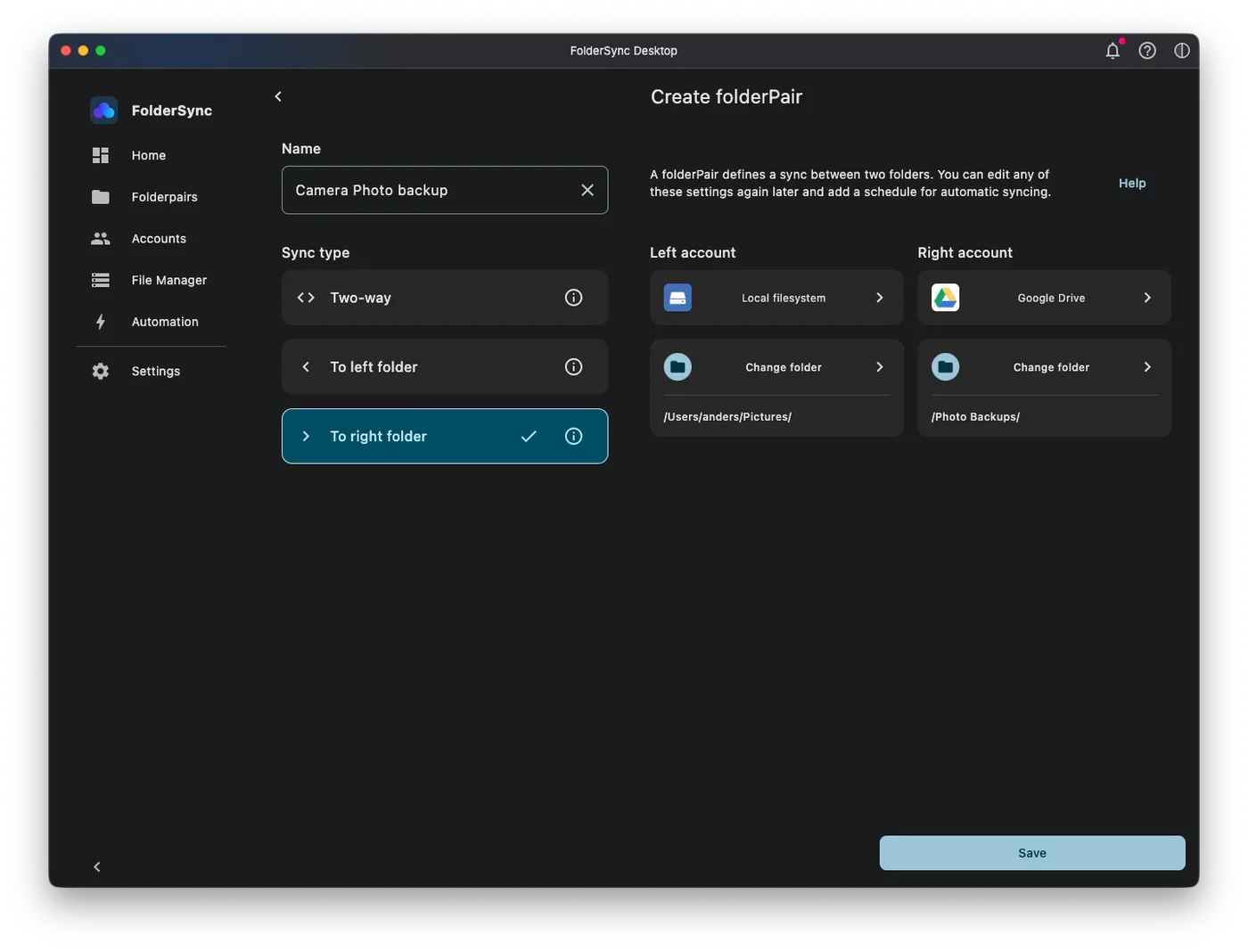
Scheduling and automation
Run syncs on a schedule, or as soon as files change. On Android you can restrict syncing to specific Wi-Fi networks or to when the device is charging. On Desktop, automation rules, webhooks and the CLI let you fit FolderSync into your own workflows.
Learn more →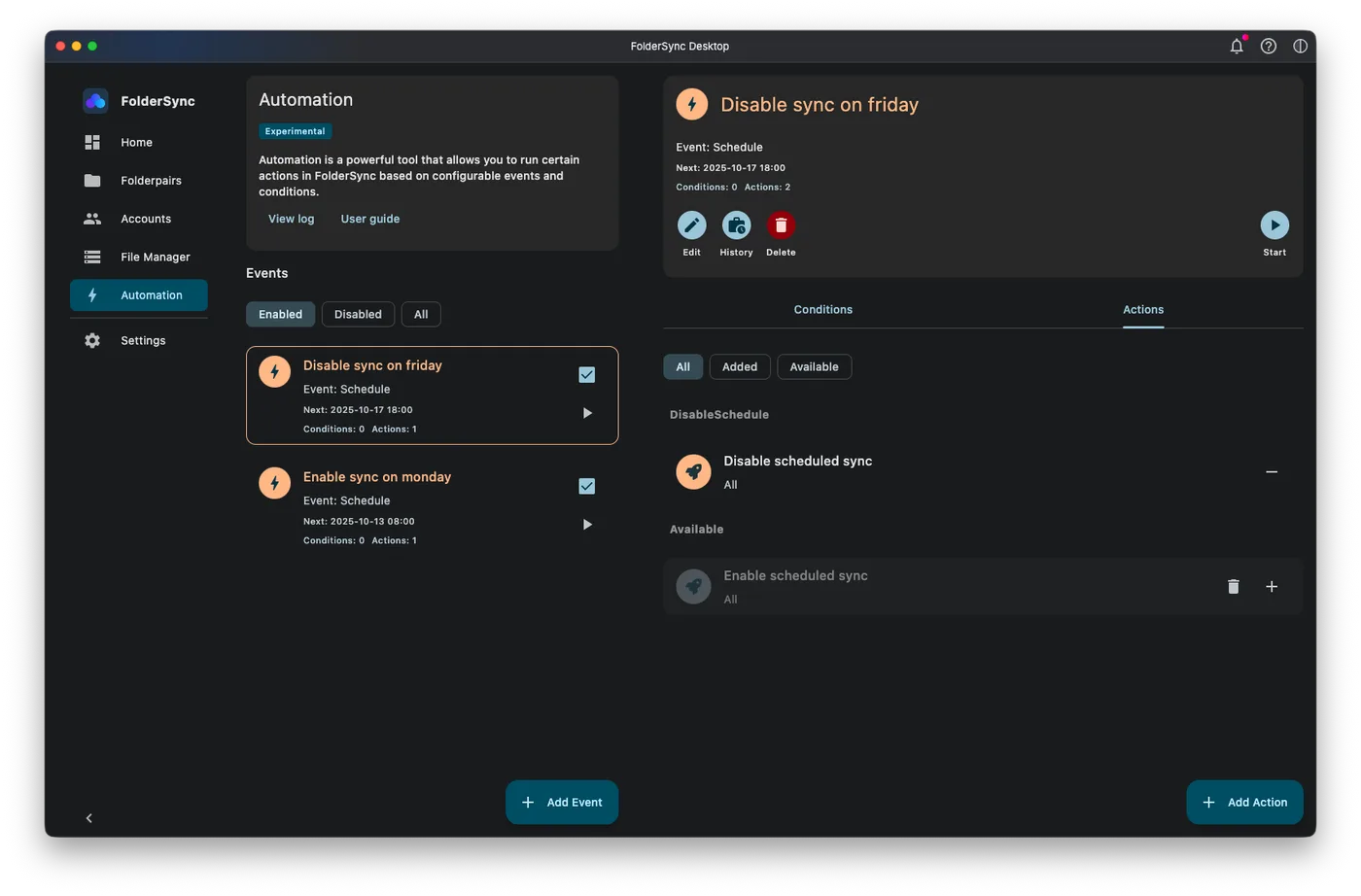
20+ cloud and self-hosted services
Connect Google Drive, OneDrive, Dropbox, MEGA, pCloud, Nextcloud, Proton Drive and many more, or your own servers over FTP, SFTP, SMB, WebDAV and S3-compatible storage. Sync between any of them.
Learn more →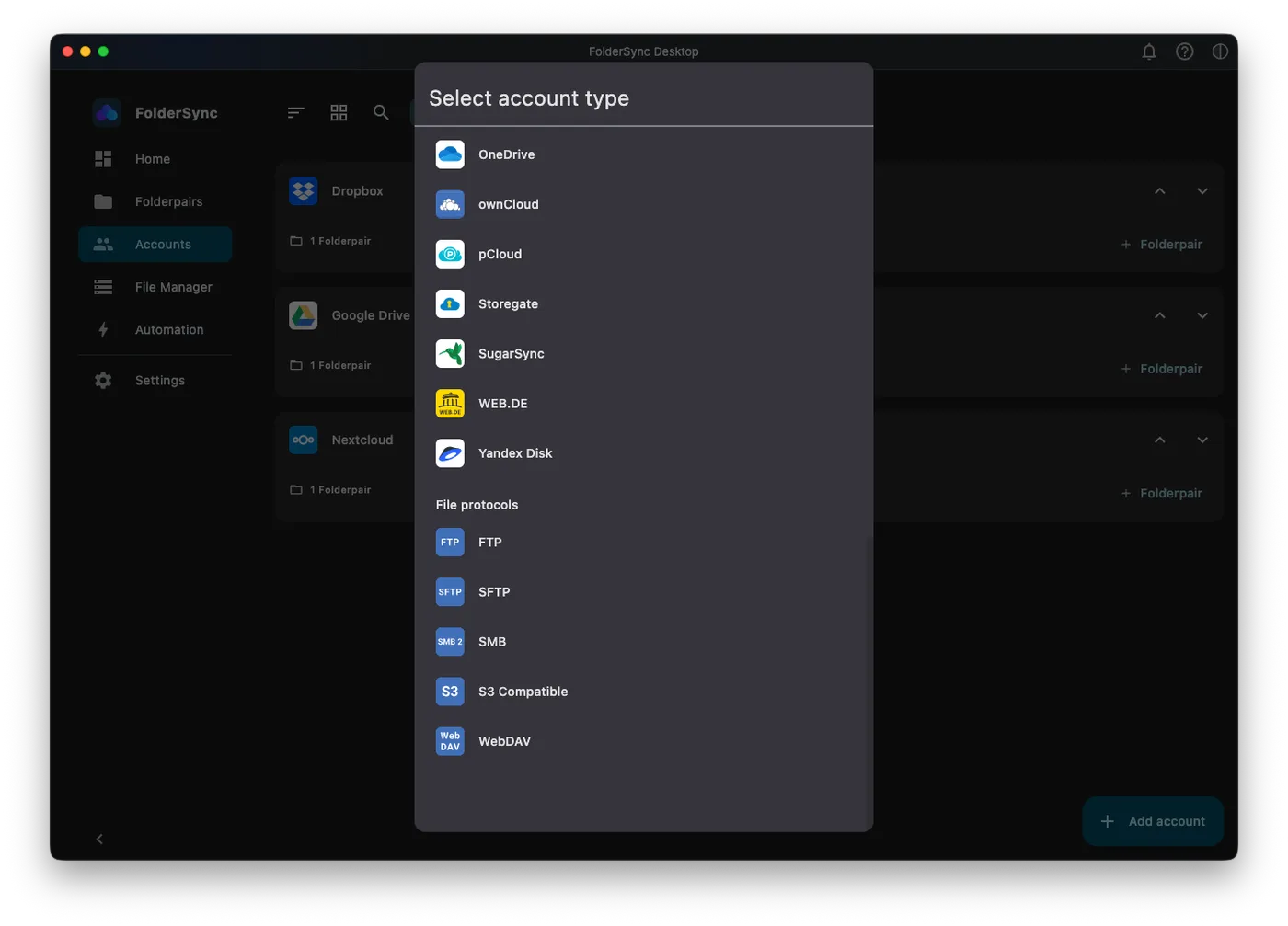
Works with your storage
One app for every cloud, NAS and server
No lock-in. Combine consumer clouds, your own servers and standard protocols, and sync between any of them.
Cloud services
- Amazon S3
- Box
- CloudMe
- Dropbox
- Drime Drive
- Filen
- Google Drive
- Google Cloud Storage
- HiDrive
- kDrive
- Kolab Now
- Koofr
- LiveDrive Premium
- luckycloud
- MEGA
- MinIO
- MyDrive.ch
- NetDocuments
- Nextcloud
- OneDrive
- ownCloud
- pCloud
- Proton Drive
- Storegate
- SugarSync
- WEB.DE
- Yandex Disk
And much more
Sync exactly the way you want
One-way or two-way sync between any two folders, with include and exclude filters.
Scheduling and automation
Run syncs on a schedule or when files change, and trigger them from scripts.
Secure connections
Encrypted transfers and secure sign-in with each provider. Your files go directly between your device and your storage.
Notifications and logs
Detailed sync logs and history, and notifications when something needs your attention.
Built-in file manager
Browse and manage files on any connected account directly from the app.
CLI and webhooks
Control FolderSync Desktop from the command line and trigger syncs from other tools with webhooks.
Ready for business
Business licenses for teams, with MDM support for deploying FolderSync for Android to managed devices.
See FolderSync in action
Stop copying files by hand
Download FolderSync for free and set up your first folder pair in minutes.